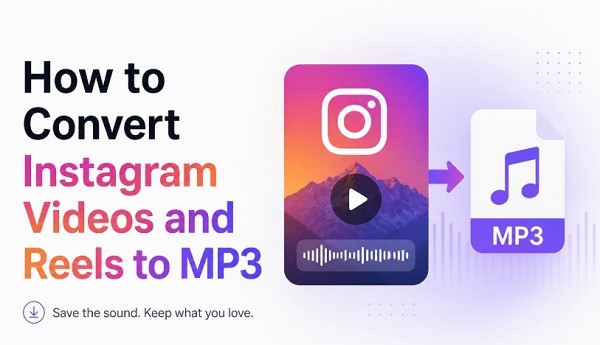
Instagram is where sounds go viral before they reach anywhere else. A track that blows up on Reels this week will hit Spotify next month — if it ever gets there at all. Original creator sounds, remixes, and voiceovers often never leave the platform. If you want to keep one of those sounds, the only real option is to convert Instagram to MP3 using a free online tool. No app required, no account, works from any browser in seconds.
Why Other Methods Fall Short
Before getting to the solution, here’s a quick look at why the obvious alternatives don’t really work:
|
Method |
What you get |
The catch |
| Screen recording | Audio from any video | Lower quality, captures ambient noise too |
| Save to Instagram collection | Bookmark inside the app | File never reaches your device |
| Shazam / music recognition | Song name for known tracks | Fails on original sounds, remixes, voiceovers |
| Online MP3 converter | Real MP3 file saved to your device | None — this is the right approach |
How to Convert an Instagram Video to MP3 — Step by Step
Go to reelsvideo.io/download-instagram-mp3 in any browser. Free, no registration required.
- Open Instagram and find the video, Reel, or post with the audio you want.
- Tap the three dots (••• on iPhone, ⋮ on Android) on the post.
- Select Copy link.
- Go to reelsvideo.io/download-instagram-mp3 in your browser.
- Paste the link into the input field and tap Download.
- The converter extracts the audio track and saves the MP3 file directly to your device.
On Android
Chrome downloads the file without any extra steps. The MP3 lands in your Downloads folder and appears automatically in most music apps. If you can’t find it in your player, check the Downloads folder in your file manager.
On iPhone
Safari sometimes opens the audio in the browser instead of saving it. Here’s what to do:
- Copy the link from Instagram.
- Open Safari and go to reelsvideo.io/download-instagram-mp3.
- Paste the link and tap Download.
- If the audio plays in the browser — tap and hold the download button, then choose Download Linked File.
- The MP3 appears in Files → Downloads. Tap Share → Copy to Music to add it to Apple Music.
On PC or Mac
- Open Instagram in your browser and navigate to the post.
- Click the three dots and select Copy link.
- Open reelsvideo.io/download-instagram-mp3 in a new tab.
- Paste the link and click Download.
- The MP3 saves to your Downloads folder, ready to import into any DAW, editor, or player.
How Does the Conversion Actually Work?
The converter retrieves the video file from Instagram’s servers and extracts the audio track from it. The audio is then encoded as an MP3 and delivered to your device. No additional compression is applied beyond what Instagram already uses when content is uploaded — so what you receive is the best quality version available on the platform.
Typical output quality is 128–256 kbps, which is perfectly suitable for listening, content creation, or use as reference material in a project.
What Can You Convert?
Any public Instagram video with audio can be converted to MP3:
- Reels — trending sounds, music, voiceovers, comedy clips
- Feed videos — interviews, tutorials, product demos
- IGTV — long-form content, podcast-style episodes
- Highlights — Stories saved permanently on a profile
Content from private accounts cannot be accessed — this is a platform-level restriction.
A Note on Copyright
Downloading audio for personal listening or as a reference is generally fine. If you plan to use the audio in content you publish or monetize, here’s what to keep in mind:
Original creator sounds: usually more flexible, but it’s good practice to ask permission before republishing.
Music by known artists: protected by copyright. Using these tracks in published videos on YouTube or TikTok without a license will likely trigger a copyright claim.
Commercial use: always requires proper licensing, regardless of the source.
Frequently Asked Questions
Does the creator know when I convert their video to MP3?
No. Instagram does not send notifications to creators for downloads or conversions made through external tools.
Is there a limit on how many videos I can convert?
No limit. Convert as many Instagram videos to MP3 as you need, completely free.
Does the MP3 include all audio — music, voice, and effects?
Yes. The converter extracts the full mixed audio track exactly as it sounds in the video — music, voice, and sound effects all included.
The Sound, Without the Video
Instagram moves fast — sounds that are everywhere today might be gone or inaccessible tomorrow. Copy the link, paste it into reelsvideo.io/download-instagram-mp3 and save the instagram reel to mp3 in seconds. No app, no account, on any device.