ou’re scrolling X on your phone and a video stops you mid-scroll. Maybe it’s a news clip from a place with spotty coverage. A recipe you want to try later. A funny moment you want to send to a friend. You tap share — and the only option is “Copy link.”
The video goes nowhere near your camera roll. No save button, no download option. Just a link that needs internet and an X account to open.
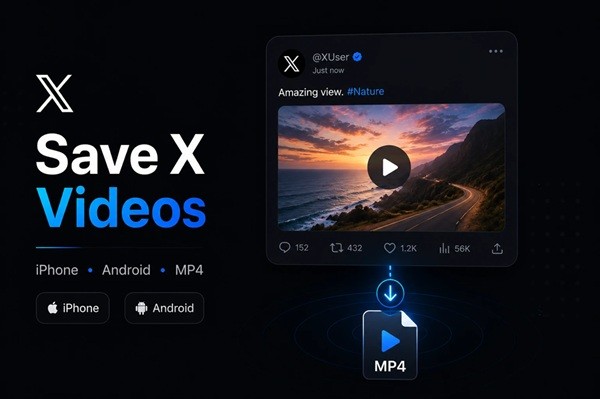
This happens to iPhone and Android users millions of times a day, and the fix is the same on both platforms: download videos from X using a browser-based tool that takes the tweet link and delivers a clean MP4 directly to your device — no app install, no account, no cost.
Why X (Twitter) Doesn’t Let You Save Videos Directly to Your Phone
It’s not a bug. X deliberately removed the ability for free users to save videos locally. The platform’s official download feature — introduced after the rebrand to X — only works for X Premium subscribers, and only when the video owner has explicitly enabled it. Two conditions that rarely align.
For everyone else, videos exist only as streams. Close the app, lose your signal, or find the tweet deleted — and the video is gone. That’s a real problem when the content matters: breaking news footage, a tutorial you meant to follow up on, a clip you wanted to share in a group chat without requiring everyone to open X.
How to Save X Videos on iPhone — Step by Step
iPhone handles downloads differently from Android, so it’s worth walking through this specifically.
Step 1: Copy the tweet link
Open the X app, find the video you want. Tap the Share icon (upward arrow below the tweet) → select Copy link. This copies the direct URL to the tweet containing the video.
Step 2: Open Safari and go to sssx.io
This step matters: use Safari, not Chrome on iOS. Safari handles file downloads natively on iOS 13 and later; Chrome on iOS sometimes plays the video instead of downloading it.
Open Safari and go to sssx.io. Paste the copied link into the main input field and tap Download.
Step 3: Choose quality
In 2–5 seconds, the available quality options appear — typically 480p, 720p, and 1080p depending on the original upload. Tap the highest available option.
Step 4: Confirm the download
Safari shows a confirmation prompt — tap Download. The file goes to the Files app → Downloads folder.
Step 5: Move to Photos (optional)
If you want the video in your Camera Roll: open the Files app → Downloads → tap the video → tap the Share icon → select Save Video. It now appears in your Photos library.
iOS 12 and earlier: Safari on older iOS versions doesn’t support file downloads this way. Use the Documents by Readdle app instead — open its built-in browser, go to sssx.io, and follow the same steps. The video saves directly to the app’s storage, which you can then export to Photos.
How to Save X Videos on Android — Step by Step
Android is more straightforward because it handles file downloads natively in any browser.
Step 1: Copy the tweet link
Open X, find the video, tap Share → Copy link.
Step 2: Open your browser and go to sssx.io
Open Chrome, Firefox, or Samsung Internet — any modern Android browser works. Go to sssx.io and paste the link into the input field. Tap Download.
Step 3: Select quality and save
Choose the highest quality option that appears. The MP4 file downloads automatically to your Downloads folder. You can find it in your file manager or in the Photos/Gallery app under “Downloads.”
No app installation. No permissions to grant. No account required.
Why Saving to Your Phone Actually Matters
This isn’t just about convenience. There are real, practical reasons people need videos saved locally:
Offline access. Commuting underground, flying, or in a rural area with no signal — streaming isn’t an option. A saved file plays anywhere.
Sharing without barriers. Sending an X link to a WhatsApp group or via email means the recipient needs to open X, have an account, and have internet. Sending the MP4 file directly removes every one of those requirements.
Preserving content before it disappears. Tweets get deleted. Accounts get suspended. Content gets restricted without warning. If you saw something important, saving it when you see it is the only way to guarantee you keep it.
Content work. Journalists, researchers, and content creators regularly need local copies of video for editing, archiving, or referencing. A browser link is not a usable file.
FAQ
Does this work for any X video? It works for any video from a public X account. Videos from private accounts cannot be accessed by any third-party tool — this is an X platform restriction.
Is the x downloader online free? Yes. sssx.io is completely free with no limits on the number of downloads, no required account, and no hidden fees for HD quality.
Will the video have a watermark? No. sssx.io retrieves the original file from X’s servers without adding any logo or text overlay.
Does the tweet author know I saved their video? No. X does not notify users when someone downloads or saves their video. The process is private.
Can I download GIFs from X too? Yes. sssx.io supports GIF downloads from X in addition to standard video content.
What format is the saved file? MP4, which is compatible with every iPhone, Android, and desktop device without any conversion needed.